Optimize your Executive Resume Keywords for Better Job Placement
Optimize your resume keywords for better job placement
You’ve spent hours perfecting your resume, tailored your cover letter, and hit “apply” on dozens of roles that seem like a perfect fit. Then silence. The frustrating truth is that most resumes never reach a human recruiter at all. ATS software filters resumes based on job description keywords, which means even the most qualified candidates get screened out before anyone reads a single line. Strategic keyword optimization is the difference between getting buried in a digital pile and landing in front of the hiring manager who can actually say yes.
Table of Contents
- Why resume keywords matter for senior professionals
- How to research and select the right keywords
- Integrating keywords into your resume effectively
- Testing and verifying your optimized resume
- Unpacking the biggest keyword myths for modern job seekers
- Optimize your job search with proven support
- Frequently asked questions
Key Takeaways
| Point | Details |
|---|---|
| Keyword optimization increases visibility | Proper keywords can help your resume pass ATS filters and reach real recruiters. |
| Tailoring matters | Customizing your keywords for each job improves your chances of getting noticed. |
| Balance keywords with clarity | Integrate keywords naturally to appeal to both ATS and real people. |
| Test before you submit | Always check your resume with a simulator to catch and fix issues early. |
Why resume keywords matter for senior professionals
Resume keywords are specific words and phrases that match the language used in a job description. For senior professionals, these go well beyond generic terms like “leadership” or “communication.” They include role-specific titles, technical platforms, industry frameworks, and measurable outcomes. Think “P&L management,” “cross-functional team leadership,” “Salesforce CRM,” or “enterprise risk mitigation.” These are the terms that signal to both software and humans that you belong in the room.
Understanding how ATS software processes resumes is essential before you write a single bullet point. An Applicant Tracking System scans your resume for keyword matches against the job description. It scores your document based on how closely it aligns with the language the employer used. Low scores mean your resume gets filtered out automatically, regardless of your 20 years of experience.
Here is a quick comparison of what happens when keywords are scattered versus strategically placed:
| Resume type | ATS match rate | Recruiter visibility | Interview callback rate |
|---|---|---|---|
| Scattered keywords | 20-35% | Low | Minimal |
| Strategically optimized | 70-85% | High | Significantly higher |
| Over-stuffed with keywords | 40-50% | Confusing | Below average |
The main types of keywords you need to include are:
- Hard skills: Technical abilities, certifications, software, and tools
- Soft skills: Leadership style, collaboration, strategic thinking
- Industry jargon: Sector-specific language and frameworks
- Management terms: Budget oversight, team scaling, stakeholder engagement
- Job title variations: Director, VP, Head of, Senior Manager
Critical note: Missing the right keywords can mean automatic rejection, no matter how impressive your background is. ATS systems are not reading context. They are scanning for matches. If your resume does not speak the same language as the job description, it will not make it through.
Executive and management roles come with an added layer of complexity. These positions often require a blend of strategic vision language and operational credibility. A VP of Operations needs keywords that reflect both high-level thinking and hands-on execution. Getting that balance right requires deliberate research, not guesswork.
How to research and select the right keywords
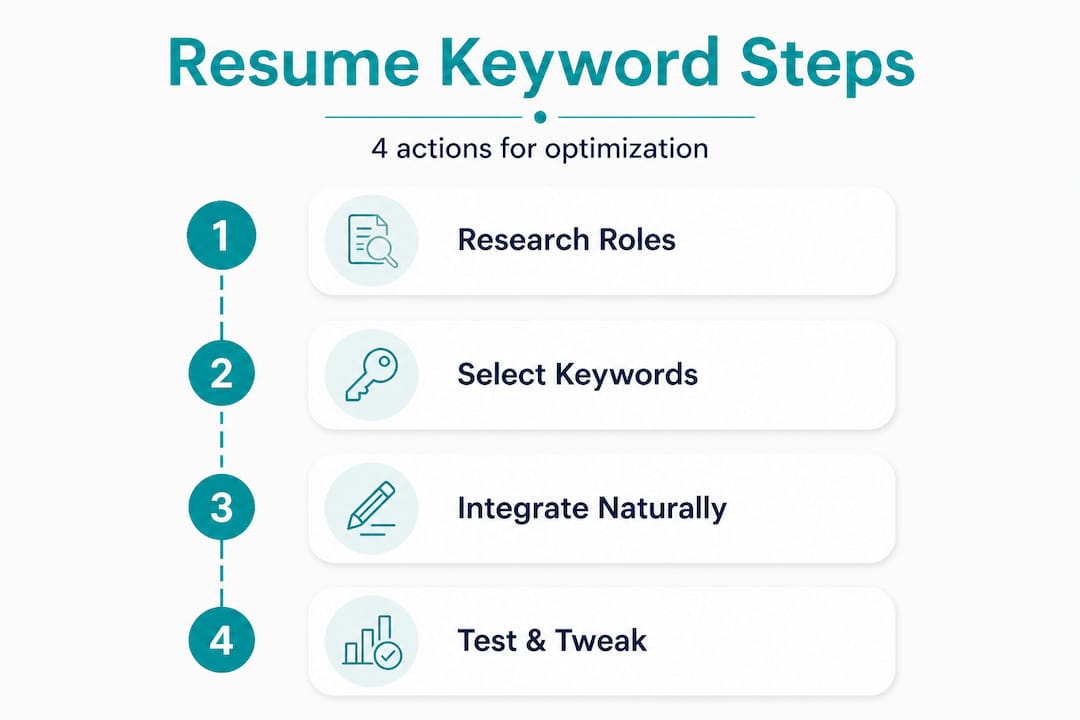
Keyword research for your resume works a lot like SEO for a website. You are trying to match the exact language your target audience uses. In this case, your audience is the hiring team and their ATS. Resumes should be tailored to each job’s unique requirements, which means a one-size-fits-all approach will consistently underperform.
Start with the job description itself. Read it three times. First for general understanding, second to highlight every repeated word or phrase, and third to identify the non-negotiable requirements. Recurring terms are almost always weighted higher in the ATS scoring system.
Here is a five-step workflow for ATS keyword research strategies that actually works:
- Analyze five to ten job descriptions for your target role. Copy them into a document and look for patterns in the language used across multiple postings.
- Collect all recurring terms into a master keyword list. Include both exact phrases and variations, such as “team leadership” and “leading cross-functional teams.”
- Evaluate relevance and seniority level. Remove any terms that are too junior for your target role. Replace generic words with executive-level equivalents.
- Shortlist your top 12 to 15 keywords based on frequency, relevance, and your actual experience. These become your priority terms.
- Verify against company career pages and LinkedIn. Check how the company describes its own culture, values, and role expectations. Mirror that language where it fits authentically.
Here is a sample keyword map by role type to give you a concrete starting point:
| Role | Top skills | Core technologies | Leadership terms |
|---|---|---|---|
| VP of Marketing | Brand strategy, demand generation | HubSpot, Marketo, Google Analytics | Go-to-market leadership, team scaling |
| Director of Finance | FP&A, financial modeling | SAP, Oracle, Tableau | Budget oversight, board reporting |
| Senior HR Manager | Talent acquisition, DEI initiatives | Workday, ADP, BambooHR | Organizational development, workforce planning |
| Head of Engineering | Agile, DevOps, architecture | AWS, Kubernetes, GitHub | Engineering roadmap, technical leadership |
Pro Tip: Do not focus exclusively on hard skills. Senior roles are increasingly evaluated on soft skill language too. Terms like “executive presence,” “change management,” “stakeholder alignment,” and “organizational transformation” carry significant weight for director-level and above positions.
LinkedIn is an underused research tool for keyword selection. Search for people currently in your target role and study how they describe their experience. Pay attention to the exact phrasing they use in their summaries and job descriptions. This gives you real-world benchmarks for what language resonates in your industry.
Integrating keywords into your resume effectively
Knowing which keywords to use is only half the battle. Where and how you place them determines whether your resume reads as authentic or robotic. Effective keyword placement increases your resume’s chances of reaching a hiring manager, but only if it is done with context and clarity.
Follow these steps to embed keywords naturally across your resume:
- Professional summary: Open with two to three sentences that include your top three to five keywords. This section carries significant ATS weight and sets the tone for human readers. Example: “Senior Operations Executive with 15 years driving P&L management and supply chain optimization across Fortune 500 environments.”
- Work history bullet points: Each bullet should contain at least one keyword tied to a measurable result. Instead of “Led a team,” write “Directed a 40-person cross-functional team to deliver a $12M product launch on schedule.”
- Core competencies section: Create a dedicated section near the top of your resume that lists 10 to 15 keywords in a clean, scannable format. This is a direct signal to ATS and gives recruiters an instant snapshot.
- Education and certifications: Include relevant credentials, acronyms, and program names exactly as they appear in job descriptions. “PMP” and “Project Management Professional” should both appear if the role uses either version.
- Resume section optimization tips: Check that keywords appear in context, not just as isolated terms. ATS systems are becoming smarter, and some now evaluate semantic relevance, not just exact matches.
Here is a quick dos and don’ts list for keyword integration:
- Do use the exact phrasing from the job description when it accurately reflects your experience
- Do vary keyword placement across multiple sections for natural flow
- Do pair every keyword with a result or context to demonstrate real impact
- Don’t repeat the same keyword more than three times in the same section
- Don’t list keywords in a block of text with no context or supporting detail
- Don’t use keywords that describe skills you do not actually have
Pro Tip: Avoid keyword stuffing at all costs. Stuffing means forcing keywords into sentences where they do not belong, which makes your resume hard to read and signals desperation to any human who reviews it. Readability matters just as much as keyword density. Your goal is a resume that passes the ATS scan and impresses the recruiter who reads it next.
Testing and verifying your optimized resume
You would not send a financial report to the board without checking the numbers first. The same logic applies to your resume. Before you submit to any role, run it through a testing process to confirm your keyword optimization is actually working.
Here is how to test your resume using ATS simulation tools:
- Choose a reputable ATS simulator. Tools like Jobscan, Resume Worded, and SkillSyncer allow you to paste your resume and a job description side by side. They generate a match score and flag missing keywords.
- Paste the exact job description you are applying for. Do not use a generic version. The more specific the comparison, the more useful the feedback.
- Review your match score. Aim for 75% or higher. Scores below 60% suggest significant keyword gaps that need to be addressed before you apply.
- Identify missing keywords from the report and decide which ones you can authentically add. Never add a keyword for a skill you do not have.
- Re-test after revisions. Run the updated version through the simulator again to confirm your score improved. Repeat until you hit your target threshold.
Simulating an ATS scan reveals whether your resume passes the initial screening, and the results are often surprising. Many experienced professionals discover their resumes score below 50% on the first pass, even for roles they are clearly qualified for.
Watch for these red flags if your resume consistently underperforms in testing:
- Unconventional section headings: ATS systems may not recognize “Where I’ve Made an Impact” as a work history section. Use standard labels like “Professional Experience.”
- Tables and graphics: Many ATS platforms cannot read content inside tables, text boxes, or images. Keep formatting clean and linear.
- Missing acronyms or spelled-out versions: If the job description uses “MBA” but your resume only says “Master of Business Administration,” the ATS may not connect them. Include both.
- Inconsistent job titles: If your actual title was “Senior Analyst” but the industry standard is “Senior Business Analyst,” consider adding the industry term in parentheses.
- PDF formatting issues: Some ATS systems struggle with certain PDF formats. When in doubt, submit a clean Word document unless the employer specifies otherwise.
Pro Tip: Always maintain a master resume that contains every keyword, skill, and achievement from your career. When applying to a new role, copy the master and edit it down to match that specific job description. This saves time and ensures you never accidentally remove a critical keyword from your base document.
Unpacking the biggest keyword myths for modern job seekers
After working with hundreds of senior professionals, one pattern stands out clearly: the people who struggle most with their job search are often the ones who think keyword optimization means stuffing their resume with buzzwords and hoping for the best. That approach does not work, and it is especially damaging at the executive level.
Here is the uncomfortable truth. Hiring managers for senior roles are not impressed by resumes that read like a keyword catalog. They are looking for evidence of judgment, impact, and leadership. Senior roles require nuanced language, not just keyword hits. A resume that says “strategic leadership” fifteen times without a single concrete outcome tells a recruiter nothing useful.
The real goal is to use advanced resume strategies that combine keyword relevance with compelling storytelling. Every keyword should be anchored to a result. “Cross-functional leadership” becomes powerful when it is followed by “resulting in a 30% reduction in project delivery time across six departments.” That is the combination that moves resumes from the ATS pile to the shortlist.
There is also a myth that executive searches are immune to ATS screening. They are not. Even retained search firms and internal talent teams use software to manage applicant volume. Assuming your network will carry you through without a keyword-optimized resume is a risk that costs qualified candidates real opportunities.
“The resumes that stand out combine keyword relevance with clear accomplishments and authentic narrative.”
The professionals who consistently land interviews at the senior level treat their resume as a strategic document, not a list of past jobs. They research the language of their target market, they test their documents before submitting, and they update their keywords with every new application. That level of intentionality is what separates the candidates who get callbacks from the ones who keep wondering what went wrong.
Optimize your job search with proven support
Knowing the strategy is one thing. Executing it consistently across every application, every role, and every industry shift is where most professionals hit a wall.
The Resume Wiz platform was built specifically for professionals like you. Whether you are stepping into your first VP role, pivoting industries, or targeting a board-level position, Resume Wiz combines over 10 years of recruiting expertise with ATS-compliant resume development, LinkedIn optimization, and a fully managed job search process. Kim Taynor and the Resume Wiz team work directly with you to identify the right keywords, craft a compelling narrative, and ensure your resume reaches the decision-makers who matter. Stop guessing and start getting results.
Want a recruiter in your corner for your next senior role? Book a free call with Resume Wiz and we will map out your next move together.
Frequently asked questions
What are resume keywords and why do they matter?
Resume keywords are skills and terms from job descriptions that help your resume get noticed by applicant tracking systems. Since ATS software filters resumes based on job description keywords, missing the right terms can mean automatic rejection before a human ever reads your application.
How many keywords should a resume have?
Focus on 9 to 15 core keywords tailored to each job description for optimal results. Resumes should be tailored to each job’s unique requirements, so your keyword list should shift slightly with every application.
What is the biggest mistake in resume keyword optimization?
Keyword stuffing makes your resume look unnatural and can hurt your chances with both ATS and human reviewers. Prioritize context and readability by pairing every keyword with a measurable result or clear example of how you applied that skill.
Do senior-level resumes need different keywords than entry-level?
Yes, senior roles require specific leadership and strategy terms not typically found in junior job descriptions. Senior roles require nuanced language, including terms like “P&L oversight,” “organizational transformation,” and “executive stakeholder management” that signal strategic-level experience.
