Skills Section Resume Optimization: What ATS and Recruiters Need
Optimize your skills section right now by listing a set of role-specific hard skills, front-loading exact keywords from the job description, and duplicating key terms in your experience bullets. That three-part move is the fastest way to improve both your ATS match score and recruiter scanability in a single pass.
Do this in the next 15 minutes:
- Pull the job description and highlight every hard skill, tool, and certification mentioned.
- Compare that list to your current skills section and add any missing exact-match terms.
- Move your Skills section above Experience if you are a mid-career or senior applicant.
- Delete any soft skill that does not appear in the job posting.
- Save a tailored version of the file with the job title in the filename.
Here is a copyable skills line you can adapt immediately:
Skills: Python | SQL | Tableau | Salesforce | Project Management | Agile | Stakeholder Communication | Data Analysis | Excel | Power BI | Budget Forecasting | Cross-functional Leadership
Swap in the tools and methods from your target posting. The format is plain text, separated by commas or pipes, and fully ATS-readable.
Pro Tip: The skills section is the primary keyword extraction zone for most ATS implementations, since skills listed only in work history may not register as matched skills in some systems. Put them in both places.
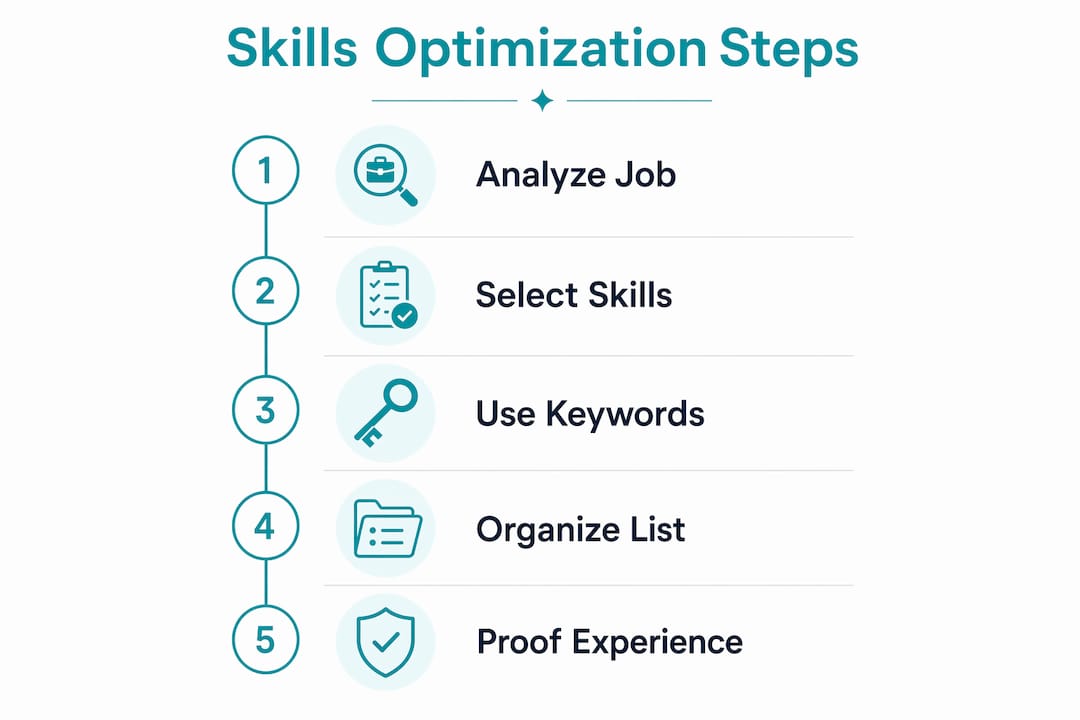
Table of Contents
- Hard skills vs. soft skills: what to include and how to balance them
- How to choose the right skills for each job using the job description
- Formatting and placement: how to make your skills section ATS-safe
- Sample skills sections and role-specific skill lists you can copy and adapt
- How to back up your skills with experience bullets, certifications, and projects
- Common mistakes that hurt your ATS ranking or recruiter trust
- Your tailoring checklist: 10 steps to update your skills section before every application
- When to hire a resume professional and how Resumewiz helps
- Key takeaways
- The skills section is where most resumes quietly lose
- Resumewiz can build your ATS-ready resume for you
- Useful sources and tools for further reading and ATS checks
Hard skills vs. soft skills: what to include and how to balance them
Hard skills are specific, teachable abilities such as programming or industry-relevant techniques. Soft skills are behavioral traits like communication, leadership, and adaptability. Certifications and methodologies sit in their own category but behave like hard skills for ATS purposes.
ATS parsers weight hard skills and specific tools far above generic soft skills. A system scanning for “Salesforce CRM” will score that term directly; “strong communicator” contributes almost nothing to your match score. Hard skills and specific tools carry higher scoring weight than soft skills in most ATS configurations, so every slot in your skills list is more valuable when filled with a concrete tool or method.
Practical ratio by career stage:
- Entry-level: 60% hard skills and tools, 20% methodologies, 20% soft skills (only if the posting explicitly requests them).
- Mid-career: 70 to 75% hard skills and tools, 20% methodologies, 5% soft skills or none.
- Senior/executive: 80%+ hard skills, certifications, and methodologies; remove soft skills from the list entirely.
The higher you go, the less tolerance recruiters have for filler. A VP of Engineering listing “team player” wastes a line that could say “Kubernetes” or “P&L management.”
Where do soft skills belong, then? The summary and experience bullets. Write “Led a 12-person cross-functional team to deliver a $4M product launch on schedule” and you have demonstrated leadership without ever listing it. That approach works for both professional soft skills and behavioral competencies that recruiters care about but ATS cannot score directly.
Pro Tip: Never list a soft skill you cannot prove. If you cannot point to a bullet in your experience section that demonstrates it, cut it from the skills list.
How to choose the right skills for each job using the job description
The job description is your source of truth. Every skill you list should trace back to a word or phrase the employer actually used. Anything else is noise that dilutes your relevance signal.
Step-by-step extraction workflow:
- Open the job posting and paste it into a plain document.
- Highlight every hard skill, tool, software name, certification, and methodology mentioned.
- Separate required skills (listed under “Requirements” or “Must have”) from preferred skills (“Nice to have” or “Preferred”).
- Cross-reference with your current skills list. Add exact matches you have but did not list; remove skills you listed that the posting never mentions.
- Prioritize required skills first, then preferred, then industry-standard tools the posting implies but does not name.
- Deduplicate: if “Microsoft Excel” and “Excel” both appear, pick the version the posting uses.
On synonyms: Exact-match keywords from the job description typically score higher than near-synonyms. If the posting says “Excel,” do not write “Microsoft Office Suite” and assume the parser connects them. Some do; many do not. Use the posting’s exact phrasing whenever you genuinely have that skill.
For speed, tools like Jobscan or Resume Worded let you paste a job description and your resume side by side to surface gaps instantly. Microsoft Copilot can also highlight missing keywords from a pasted job post. Even a simple Ctrl+F search on your resume for the top five required skills from the posting takes under two minutes.
Pro Tip: Use the “doubling up” technique: place every critical keyword in both your Skills section and at least one experience bullet. Algorithms assign higher confidence to keywords that appear in multiple sections, which improves your ranking in the candidate pool.
Formatting and placement: how to make your skills section ATS-safe
Use a standard heading, a single-column layout, and plain text. Place Skills before Experience for most mid-career and senior applicants. That ordering, combined with a short summary, produced a 5 to 6 point improvement on average in parser tests, with skills placement alone contributing a 2 to 3 point advantage for resumes that already had summaries.
Heading labels that work:
- Skills
- Technical Skills
- Core Competencies
- Key Skills
Avoid anything creative. “My Toolkit,” “What I Bring,” or “Superpowers” are not recognized section headers. Nonstandard headings increase the risk that a parser maps your content to “Other” and misses your skill terms entirely.
Format options and when to use each:
- Comma-separated flat list: Best for applicants with under 15 skills or for roles where brevity signals focus. Fully parseable, takes minimal space.
- Vertical bullet list: Slightly easier for human readers to scan; equally parseable. Good for 10 to 18 skills.
- Grouped categories with subheadings: Best for senior candidates with 15 to 30 skills across distinct domains (e.g., “Data & Analytics | Python, SQL, Tableau” vs. “Project Management | Agile, PMP, Jira”). Grouped categories signal seniority to recruiters while parsers read the words regardless of grouping.
Positioning by career stage:
- Recent grad: Skills after Education, before Experience. You are leading with what you know, not what you have done.
- Career changer: Skills near the top, right after your summary. You want the reader to see your transferable tools before they hit a work history that looks off-track.
- Mid-career professional: Skills before Experience, after a two-to-three line summary.
- Senior/executive: Skills after a strong summary and before Experience, grouped by domain.
ATS-safe formatting checklist:
- No tables, text boxes, or columns for the skills section.
- No images, icons, or proficiency bars. Graphic proficiency indicators do not parse; they are invisible to the scoring engine.
- No headers or footers containing skill terms (parsers often skip them).
- Use standard fonts: Calibri, Arial, Georgia, or Times New Roman.
- Save as .docx or PDF, depending on what the application portal specifies.
Pro Tip: Front-loading important keywords in the skills list and in the early document text improves match scoring because many parsers weight earlier content more heavily. Put your most critical skills first in the list, not last.
Sample skills sections and role-specific skill lists you can copy and adapt
Use these as templates. Swap keywords to match the exact phrasing in your target posting. The goal is not to copy wholesale but to see the right density, mix, and grouping for your field.
Data Analyst SQL | Python | R | Tableau | Power BI | Excel (Advanced) | Data Cleaning | Statistical Analysis | ETL Pipelines | Google Analytics | A/B Testing | Stakeholder Reporting
Software Engineer Python | Java | JavaScript | React | Node.js | REST APIs | Git | Docker | Kubernetes | CI/CD | Agile/Scrum | AWS | SQL | Code Review | System Design
Product Manager Product Roadmapping | Agile | Jira | User Story Writing | A/B Testing | Go-to-Market Strategy | Stakeholder Management | SQL | Figma | OKRs | Competitive Analysis | Customer Discovery | Prioritization Frameworks
Marketing Manager Google Ads | Meta Ads | HubSpot | Salesforce | SEO/SEM | Content Strategy | Email Marketing | Marketing Automation | Google Analytics | CRM Management | Budget Management | Campaign Reporting
Finance Professional Financial Modeling | Excel (Advanced) | GAAP | Variance Analysis | Budgeting & Forecasting | Power BI | SAP | QuickBooks | Accounts Payable/Receivable | Audit Preparation | Cash Flow Analysis | FP&A
Operations Manager Process Improvement | Lean/Six Sigma | Supply Chain Management | ERP Systems (SAP, Oracle) | KPI Reporting | Vendor Management | Cross-functional Coordination | Capacity Planning | Risk Management | Budget Oversight
Before and after: keyword alignment in practice
Before (weak):
Skills: Microsoft Office, communication, leadership, problem-solving, teamwork, project management, data analysis
After (ATS-aligned for a data analyst role):
Skills: SQL | Python | Tableau | Excel (Advanced) | Power BI | A/B Testing | Data Cleaning | Statistical Analysis | Google Analytics | ETL Pipelines | Stakeholder Reporting | Agile
The “before” version lists seven items, four of which are soft skills with no scoring value. The “after” version lists 12 hard skills and tools that mirror the job posting directly. That is the difference between a 40% keyword match and an 85% match on the same role.
How to back up your skills with experience bullets, certifications, and projects
Always back a listed skill with at least one experience line or credential that uses the same phrase. A skill sitting only in your skills list is a claim without evidence. A skill that also appears in a bullet with a metric is a claim with proof.
How to mirror skills in experience bullets:
- Take your top five to eight skills from the skills section.
- For each one, find or write an experience bullet that uses the same term and attaches a result.
- Place that bullet in the most recent or most relevant role.
- Front-load the skill name in the bullet so it appears early in the sentence.
Examples of experience bullets that mirror skill keywords:
- SQL: “Built and maintained 15+ SQL queries to automate weekly reporting, reducing manual processing time by 6 hours per week.”
- Agile: “Led Agile sprint planning for a 10-person engineering team, delivering three product releases on schedule over two quarters.”
- Financial Modeling: “Developed a three-statement financial model in Excel that supported a $12M capital raise.”
- Google Ads: “Managed $500K annual Google Ads budget, achieving a 3.2x ROAS across search and display campaigns.”
Listing certifications and courses without breaking ATS parsing:
- Use a dedicated “Certifications” or “Licenses & Certifications” section with a standard heading.
- Format: Certification Name | Issuing Organization | Year (e.g., PMP | Project Management Institute | 2024).
- Do not embed certifications inside a table or graphic.
- Project links (GitHub, portfolio URLs) belong in a “Projects” section or next to the role title, not inside a skills list.
On proficiency qualifiers: Text-based qualifiers work; proficiency bars do not. If you need to signal level, use parenthetical labels: “Python (Advanced),” “Spanish (Professional Working Proficiency),” or “Excel (Pivot Tables, VLOOKUP, Power Query).” The parenthetical approach tells both the parser and the recruiter exactly what you mean. Avoid vague labels like “familiar with” or “exposure to”, they signal weakness without adding specificity.
Common mistakes that hurt your ATS ranking or recruiter trust
Most skills sections fail in one of five ways. Here is what each looks like and how to fix it.
The top red flags:
- Keyword stuffing: Listing 40+ skills to game the ATS. Parsers recognize padding, and recruiters notice immediately. Stick to 15 to 30 skills that genuinely match the role.
- Vague buzzwords: “Results-driven,” “detail-oriented,” “dynamic professional.” These score zero in ATS and signal nothing to a recruiter. Cut them entirely.
- Nonstandard section headings: “My Toolkit” or “Areas of Expertise” can cause parsers to classify the section as “Other,” making your skills invisible to the scoring engine.
- Graphics and proficiency bars: A five-star rating for your Excel skills looks polished in a PDF but is completely invisible to ATS. The parser sees a blank space.
- Unrelated skill padding: Listing skills from a previous career that have no relevance to the target role. It dilutes your relevance density and confuses both parsers and recruiters.
What lying or overstating proficiency costs you:
Claiming “Advanced Python” when you can write basic scripts is a fast way to fail a technical screen. Recruiters and hiring managers test listed skills, especially at the senior level. A better move: list the skill accurately (“Python (Intermediate)”) or back it with a specific project that shows what you actually did with it. Honest specificity beats inflated claims every time.
Formatting mistakes that cause parsing errors:
- Skills inside a table or two-column layout: parsers often read table cells out of order or skip them.
- Skills in the header or footer: most parsers do not process header/footer content.
- Using special characters (arrows, checkmarks, custom bullets) that convert to garbled text in plain-text parsing.
- Submitting a PDF when the portal requires .docx, or vice versa.
A layered optimization approach fixes parsing and structure first, then aligns content to the job. Content edits deliver the largest gains, but only after the structure is clean enough for the parser to read correctly.
Your tailoring checklist: 10 steps to update your skills section before every application
Run through this before you submit. The whole process takes 10 to 20 minutes once you have a solid base resume.
- Copy the job description into a plain text document.
- Highlight every hard skill, tool, certification, and methodology mentioned in the posting.
- Compare to your current skills list and add any exact-match terms you have but did not include.
- Remove skills that do not appear in the posting and are not standard for the role.
- Reorder your skills list so the most critical required skills appear first.
- Apply the doubling-up technique: confirm each top skill also appears in at least one experience bullet.
- Check your section heading: it should read “Skills,” “Technical Skills,” or “Core Competencies”, nothing else.
- Run a plain-text test: paste your resume into Notepad or a plain text editor and confirm the skills section is readable and in order.
- Run a parser or job-compare tool (Jobscan, Resume Worded, or similar) to check your keyword match percentage.
- Save the tailored file with a clear naming convention: LastName_FirstName_CompanyName_RoleTitle.docx.
Two copyable templates:
Skills-only update template:
Skills: [Required Skill 1] | [Required Skill 2] | [Required Skill 3] | [Preferred Skill 1] | [Preferred Skill 2] | [Methodology] | [Certification] | [Tool] | [Tool] | [Tool]
Experience-bullet mirror template: ATS sanity checks:
- Plain-text test: if the skills section looks scrambled in Notepad, it will look scrambled to a parser.
- Heading check: search your document for the skills heading and confirm it is a standard label.
- Testing a resume through a parser and doing a plain-text check is an inexpensive way to catch common parsing failures before you apply.
Pro Tip: Use a consistent file-naming convention for every tailored version: LastName_Company_Role_Date.docx. When you are managing 15 active applications, you will thank yourself for the clarity.
When to hire a resume professional and how Resumewiz helps
Hire a professional when the stakes are high enough that a suboptimal resume has a real cost. For most people, that threshold arrives at one of four moments.
Scenarios where professional help pays off:
- Executive search: At the VP, C-suite, or board level, your resume competes against candidates who have professional writers. The positioning, language, and keyword strategy at that level are genuinely different from a mid-level resume.
- Career change: Translating skills from one industry to another requires reframing, not just reformatting. A professional knows which transferable skills to surface and how to frame them for a new audience.
- Long employment gap: Gaps require proactive narrative management. A professional can structure the resume so the gap does not become the first thing a recruiter notices.
- Limited time: If you are currently employed and running a confidential search, spending 10 hours on resume strategy is not realistic. A professional compresses that timeline significantly.
The concierge coaching model takes this further: high-touch, personalized support that goes well beyond a document review and into full search strategy, positioning, and outreach.
Resumewiz, founded by Kim Taynor with over 10 years of recruiting experience, delivers exactly that kind of alignment. The service covers ATS-compliant resume development, LinkedIn profile optimization, cover letter creation, and a fully managed job search with tailored applications and outreach. For executives, managers, and career changers who need a clear, structured process, that end-to-end approach removes the guesswork from a process that most professionals find genuinely difficult to do well on their own.
Key takeaways
A well-optimized skills section contains 15 to 30 role-specific hard skills, uses exact job-description keywords, positions the Skills section before Experience, and repeats critical terms in experience bullets to maximize both ATS match scores and recruiter confidence.
| Point | Details |
|---|---|
| Include 15 to 30 core skills | Too few skills under-represents you; too many dilutes your signal and looks padded. |
| Use exact job-description phrasing | Parsers may not equate “Excel” with “Microsoft Office Suite”, use the posting’s own words. |
| Double up critical keywords | Place each top skill in both the Skills section and at least one experience bullet for higher ATS match confidence. |
| Front-load your most important skills | Many parsers weight earlier content more heavily, so lead with your highest-priority terms. |
| Resumewiz for high-stakes searches | For executive roles, career pivots, or time-constrained searches, Resumewiz provides ATS-compliant resumes, LinkedIn optimization, and a fully managed job search with tailored applications and outreach. |
The skills section is where most resumes quietly lose
The conventional wisdom says a great resume is about strong writing and impressive accomplishments. That is true for the experience section. The skills section operates by a different logic entirely, and most candidates treat it as an afterthought.
What I have seen consistently, from years of recruiting and resume work, is that candidates spend 90% of their effort on experience bullets and almost none on the skills section. Then they wonder why they are not getting callbacks for roles they are clearly qualified for. The answer is usually sitting right there: their skills section uses their language, not the employer’s.
The fix is not complicated. Read the job description. Use its words. Put those words in your skills list and then prove them in your bullets. That single habit, applied consistently, changes your callback rate more than any other single edit you can make to a resume.
The other thing most guides miss: the skills section is not static. Update it for every application. The version that worked for a fintech PM role will not work unchanged for a healthtech PM role. The tools differ, the methodologies differ, and the keywords differ. Treat your skills section as a living document, not a permanent fixture.
Resumewiz can build your ATS-ready resume for you
If you have read this far and the process still feels like a lot to manage on top of an active job search, that is a reasonable reaction. Skills section resume optimization is genuinely detail-intensive work, and doing it well for every application takes time most employed professionals do not have.
Resumewiz delivers ATS-compliant resumes built around your target roles, with keyword strategy, LinkedIn optimization, and interview coaching included in a single engagement. The service is designed specifically for executives, managers, and career changers who need a resume that performs, not just one that looks good.
What you get:
- An ATS-optimized resume with role-specific keyword alignment and proper formatting.
- LinkedIn profile optimization to match your resume’s positioning.
- Interview coaching and salary negotiation support.
- A fully managed job search option with tailored applications and outreach.
Kim Taynor and the Resumewiz team have placed professionals across industries at the manager, director, VP, and C-suite levels. If you are ready to stop sending applications into silence, see what Resumewiz offers and book a consultation.
Useful sources and tools for further reading and ATS checks
Use these during your 15-minute tailoring session to validate keyword coverage and catch parsing issues before you apply.
Resume-to-job comparison tools:
- Jobscan: paste your resume and a job description side by side; it returns a keyword match percentage and flags missing terms. Run this after every tailoring pass.
- Resume Worded: similar comparison tool with additional feedback on bullet strength and formatting.
- Microsoft Copilot: useful for quickly identifying missing keywords from a pasted job description when you do not have access to a dedicated tool.
Plain-text and parsing checks:
- Notepad (Windows) or TextEdit in plain-text mode (Mac): paste your resume and check whether the skills section appears in the right order and is readable. If it looks scrambled, a parser will read it the same way.
- Online ATS simulators: tools like ATSFixer and ATS CV Checker Pro let you upload a resume and see how a parser classifies each section, which is the fastest way to catch a nonstandard heading or a table-based layout that breaks parsing.
Reference reading:
- University of Georgia Career Center: clear guidance on how to list hard and soft skills on a resume, with examples.
- Coursera: Resume Skills Section: practical overview of how to feature key skills, including formatting options and what to prioritize.
- Coursera: Hard Skills vs. Soft Skills, useful reference for understanding the distinction and deciding what belongs in each section.
- World Economic Forum: Future of Jobs Report 2025: for staying current on which skills are growing in demand across industries, which directly informs how you update your skills section over time.
How to use these in a 15-minute session: Run the plain-text test first (two minutes), then paste into a job-compare tool to check keyword coverage (five minutes), then make targeted edits to your skills list and one or two experience bullets (eight minutes). Save the tailored version with the naming convention from the checklist above.
Want a recruiter in your corner for your next senior role? Book a free call with Resume Wiz and we will map out your next move together.
