Target Company List: A Recruiter's 15 to 25 Company Scorecard
A target company list is a short, ranked set of employers you want to work for, so open a spreadsheet today and add companies you find through LinkedIn, Glassdoor, or the free guides we publish at Resume Wiz. Each row needs a reason it belongs there and a next action. That focus replaces scattershot applying with outreach you can measure.
Key Takeaways:
- Score each employer against role fit, growth, culture, network, pay, and logistics, then contact top tier companies before lower ranked alternatives.
- Combine LinkedIn and Glassdoor with company databases, record why each employer fits, and verify AI suggestions on official sites and LinkedIn before adding them.
- Track contacts, outreach dates, status, next action, and due date in a simple sheet; review it weekly and remove rows without one.
- For top tier employers, engage lightly, contact a peer or alum, request an informational interview, then approach the hiring manager when a suitable role opens.
- Tailor each target employer’s resume summary and leading achievements with language from its postings, but use only terms that accurately describe your experience.
Table of Contents
- Why does a target company list change your job search?
- How many companies belong on the list, and how do you rank them?
- Where can you find companies worth targeting?
- What is the step-by-step workflow for building your list?
- How do you organize and track outreach like a CRM?
- How do you vet companies and avoid scams?
- How do you find the right contacts and hiring managers?
- How should you tailor your resume and LinkedIn profile for each target company?
- What is the best timing and sequence for outreach?
- How do you update and refine the list over time?
- How does the list fit into your daily job search?
- A recruiter’s view on disciplined lists
- How we help you act on your list
- FAQ
- Sources
Why does a target company list change your job search?
A target company list turns a reactive search into a proactive one. Instead of waiting for a posting and competing with everyone who clicks “apply,” you pick the organizations that fit your skills, values, and goals, then work toward them on your own schedule. Career practitioners describe it as a dynamic strategic map that minimizes scattershot applications and focuses your energy on high-fit opportunities.
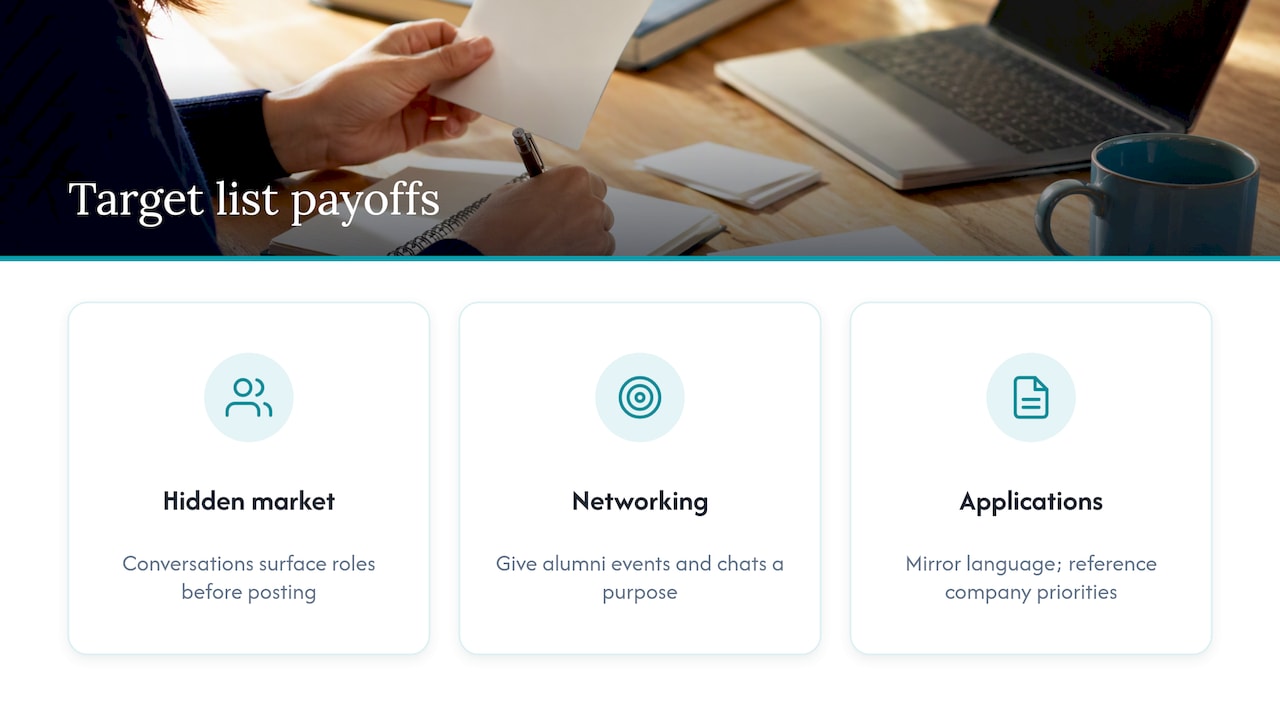
The payoff shows up in three places. First, you reach the hidden job market. Many roles get filled through conversations before a posting ever appears, and a named contact inside a company can help you get a foot in the door. Second, your networking gets sharper. When you know the companies you care about, every alumni event, coffee chat, and LinkedIn message has a purpose. Third, your applications improve. Researching a company before you apply means you can mirror its language, reference its priorities, and walk into an interview already knowing its challenges.
The practitioner view is consistent: a list works best as an engine for networking, not as a mass-application tool. Every company on it should have an associated action, such as connecting with a named person or requesting an informational interview.
How many companies belong on the list, and how do you rank them?
Aim for a focused core list of companies. A focused core list gives you options if some never respond, and small enough that you can research each one properly and contact the best of them every week. A sprawling list can feel productive but rarely produces conversations, because you cannot give any single company real attention.
To rank them quickly, score every company on a handful of criteria. A simple scorecard:
- Alignment with your goals: Does the company do work in your target function and industry, at the level you want?
- Growth and stability: Is it hiring, expanding, or funded, or is it shrinking?
- Culture and values fit: Do employee reviews and public statements match how you like to work?
- Network strength: Do you know anyone there, or anyone two steps removed, such as alumni or former colleagues?
- Compensation and logistics: Do pay signals, location, and remote policy fit your life?
Add the scores. A company with a high total is a top-tier target; one with a low total is probably a distraction. Mark your highest-ranked companies as “top tier” and contact them first, with the rest as a second wave.
Scoring forces you to compare companies on the same terms, which protects you from chasing a famous name that does not fit or ignoring a lesser-known employer that does.
Where can you find companies worth targeting?
No single source gives you everything, so combine a few. Here is what each does best:
- LinkedIn: Best for discovering companies by industry, role, and network. Use company pages to find similar employers, and run alumni searches to see where people with your background landed.
- Glassdoor: Best for culture, interview insights, and salary signals. Read patterns across reviews rather than any single complaint or rave.
- Mergent Intellect and CareerOneStop: Best for screening companies by criteria such as industry, revenue, and regional employee count, which is exactly how university career centers suggest building a list from criteria rather than from guesses.
- D&B Hoovers: Best for firmographic detail and exportable company lists when you want to filter by size and location.
- Crunchbase and PitchBook: Best for funding signals and startup targeting. A recent funding round often means new hires. Business-library guides, such as this one from a business school library, point to specialized databases for startup and private-company targeting while noting that access can be restricted.
Many of these databases are free through a university or public library. If you are an alum, ask your career office what access you keep. Research guides at schools like New York University recommend data-rich tools that can export company lists into Excel for analysis and prioritization, which is the format you want anyway.
Pro Tip: Pull names from your chosen sources, then dedupe in your spreadsheet. A company that shows up in more than one source is usually a stronger fit than one you found only once.
To combine everything, export or copy results into one sheet with columns for company name, website, source, and “why it fits.” Capture the reason at the moment you add it, while the logic is fresh.
What is the step-by-step workflow for building your list?
Follow these steps in order. The whole process takes a focused afternoon for a first draft.
- Define your preferences. Write down the role and level you want, target industries, company size, location or remote needs, and the values that matter to you. If you are unsure which work environments suit you, an exercise like the Career-IQ Matcher can prompt useful thinking about cognitive strengths and fit before you set criteria.
- Search across your chosen sources. Run targeted searches on LinkedIn, Glassdoor, and one database, and add each company to your sheet with a one-line reason it belongs.
- Verify legitimacy and basic fit. Check the official website, leadership bios, and Glassdoor signals before you spend time on any company (the next section gives a full checklist).
- Score and rank. Apply your 1 to 5 scores and flag the top tier.
- Export and assign actions. Give every company one concrete next step: connect with a named person, request an informational interview, or apply to an open role.
Optional AI prompts for speed
Career centers describe a simple pattern for AI-assisted lists: define your preferences, give the AI a customized prompt, and double-check its suggestions before saving anything. Three prompts to adapt:
- “Suggest mid-sized companies in [industry] that hire [job title] and are headquartered in or hiring remotely from [region]. Give one sentence on why each fits.”
- “List companies similar to [company name] that are known for strong [value, such as flexibility or mentorship], and note any that are growing.”
- “Based on my background in [field] and my goal of [role], which industries should I research first, and why?”
Treat every AI answer as a lead, never a fact. These tools can invent companies, misstate locations, or describe employers that no longer exist. Confirm each suggestion on the company’s own site and on LinkedIn before it earns a row.
Pro Tip: Ask the AI for reasons, not just names. A reason you can disagree with is easier to verify than a bare list.
Run this quick checklist on every company before it stays:
- The company has a working official website and a LinkedIn page with real employees.
- Named leaders appear with believable bios.
- Recent news or posts show the business is active.
- Reviews on Glassdoor are consistent, not suspiciously uniform.
How do you organize and track outreach like a CRM?
A list that sits untouched produces names, not interviews. Treat it like a small customer relationship tool where you are the one building relationships. Give your sheet these columns:
- Company and source
- Contact name and role
- Date contacted and channel (LinkedIn message, email, event)
- Status (not started, contacted, replied, meeting set, applied, closed)
- Next action and due date
- Notes from research and conversations
For hosting, Google Sheets is the easiest start: free, shareable, and fast to filter. Airtable adds views and reminders but takes longer to set up. A simple CRM gives you automated follow-up nudges, though many are built for sales teams and can feel heavy for a job search. Pick the lightest tool you will actually open every day.
Then build a weekly routine. Choose a block of time, say Monday morning, to review the sheet, sort by score, and schedule that week’s outreach for your top-tier companies. Send a small, fixed number of messages rather than a burst you cannot follow up on. Review “next action” dates each Friday so nothing slips.
Pro Tip: Color-code status and sort by due date. If a row has no next action, it is not part of your search yet; give it one or cut it.
If you want ready-made outreach language to drop into your tracker, we cover it in our packages, which you can explore on our home page.
How do you vet companies and avoid scams?
Spend a little time on each company before it earns your outreach time. A few quick checks catch most problems:
- Confirm the official domain and that the careers page matches the company’s real site.
- Find the company’s LinkedIn page and look for real employees with history, not newly created profiles.
- Read leadership bios and look for recent press or announcements.
- Search the company name plus the word “scam.” Career practitioners recommend this as a fast check against fraudulent postings.
- For public companies, confirm details through news coverage and SEC filings.
Remove any company that shows red flags: no website, inconsistent addresses, vague job descriptions paired with urgent hiring pressure, or any request for payment, equipment purchases, or sensitive personal data before an offer.
It also helps to understand what to expect once you do engage. For example, California employees can read about what employers can say in job references, which clarifies how hiring conversations and reference checks tend to work.
How do you find the right contacts and hiring managers?
A target company is only useful if you reach a person. Start on LinkedIn: search the company name, filter by “People,” and look for titles above the role you want. That is usually the hiring manager or someone close to them. Then look sideways for peers in the function, who can tell you what the team is actually like.
Use shared connections first. Alumni filters, former colleagues, and people from professional groups all lower the barrier. A message that opens with “we both studied at X” or “we both worked with Y” gets read far more often than a cold pitch. If you have no overlap, look for people who recently posted about hiring or team news and respond to that content thoughtfully before you reach out.
Other places to dig: the company’s team or leadership page, conference speaker lists, podcast guest rosters, and press releases that name department heads. Recruiters at the company are also fair targets for one short, specific message.
Record every contact in your tracker with the source of the lead and why they are relevant. Aim for several names per top-tier company: one decision-maker, one peer, and one connector who might introduce you. Spreading across several people protects you if one never replies.
How should you tailor your resume and LinkedIn profile for each target company?
Tailoring does not mean rewriting everything. It means adjusting the parts a reader sees first. For each top-tier company, pull a few phrases from its job postings and “about” pages, then reflect the real overlap with your background in your summary and top bullets. Use the company’s own terms for tools, methods, and outcomes where they honestly match your experience.
For your resume, lead with the achievements most relevant to that employer, keep formatting clean so applicant tracking systems can read it, and quantify results you can verify. Keep a master version and save a tailored copy for each company so you can see what you sent.
For LinkedIn, update your headline and “About” section to speak to the kind of role you are pursuing, and make sure your experience entries support it. Because contacts will click your profile after you message them, your profile should confirm what your note claimed. Turn on settings that signal you are open to opportunities if you are comfortable doing so, and add skills that appear repeatedly across your target employers.
If you want an expert hand here, our Evolution service updates your resume and LinkedIn together so both tell the same story.
What is the best timing and sequence for outreach?
Sequence matters as much as the message. A sensible order for each top-tier company: first, research and light engagement, such as following the page and reacting to relevant posts. Second, a short connection request or note to a peer or alum. Third, an informational interview request to a more senior person. Fourth, an application or direct note to the hiring manager when a fitting role is open.
Space your touches. A common pattern is to follow up once after about a week and once more a week or two later, then pause rather than push. Always add something new in a follow-up, such as a relevant article or a brief update on your progress, so it is not just “checking in.”
On timing, midweek mornings tend to suit many professionals, but your own tracker will teach you more than general advice. Note when replies arrive and adjust. Avoid sending everything at once; staggering outreach lets you refine your message based on early responses.
Contact top-tier targets first, since they have the highest payoff, and keep a steady weekly cadence instead of occasional bursts. Consistency compounds: a few thoughtful messages every week will outperform a frantic push followed by silence.
How do you update and refine the list over time?
Your list is a living document. Review it regularly and ask what the results are telling you. Which companies replied? Which sources produced the best leads? Which score criteria predicted real interest? Use the answers to adjust.
Practical refinement habits:
- Promote and demote: Move companies up when you get warm responses or learn about openings, and drop those with silence after a full outreach sequence or with new red flags.
- Add from feedback: Interviewers and contacts often mention competitors or partner firms. Add them with the reason noted.
- Re-score: Funding news, layoffs, leadership changes, or new reviews can change a company’s score overnight.
- Close the loop: Record why a company was removed so you do not re-add it later.
Keep the core focused by cutting as you add. If the list grows too large, the weakest names are costing you attention. A tighter list with fresh information beats a long one that has gone stale.
How does the list fit into your daily job search?
The list works best as the center of a routine, not a side project. A balanced week might look like this: a short block for research on one or two new companies, a block for outreach messages to top-tier contacts, a block for follow-ups, and time for applications to open roles that match your targets. Spend the rest on interview prep and skill-building.
Use the list to decide what to do each day. If you do not know what to work on, open the sheet, sort by due date, and take the first action. When a job posting appears, check whether the company is already on your list, because a posting at a target employer with a contact inside is a much stronger lead than an anonymous one.
Let the list also guide your applications. Prioritize roles at your top-tier companies, tailor those materials most heavily, and use any contact you have made to flag your interest internally. Applications to companies off your list can still happen, but treat them as a supplement.
Finally, track outcomes weekly: messages sent, replies, conversations, interviews. Those numbers show whether your list, your messaging, or your materials need work.
A recruiter’s view on disciplined lists
After years of recruiting, I have noticed that candidates who win are rarely the busiest. They are the ones who pick a small set of employers, tie every action to a score, and follow through when others drift. Resist the urge to add names to feel productive; instead, ask which top-tier company you will contact today. If you would like help executing, that is exactly what our team does.
Kim
How we help you act on your list
A list only pays off when your materials and outreach hold up. Our Evolution updates your resume and LinkedIn for $699, so top-tier companies see a consistent, ATS-ready profile. If you want hands-on support, our Elevate packages guide you through applications and outreach. And if you prefer a managed search, Elevate and Land handles applications, with outreach as an optional add-on. Pick the level of help you want and get started.
Want a recruiter in your corner for your next senior role? Book a free call with Resume Wiz and we will map out your next move together.
FAQ
How many companies should be on a target company list?
Aim for a focused core list of companies. A focused core list gives you options if some never respond, and small enough that you can research each one properly and contact the best of them every week. Add names only as you remove others.
How do you create a target company list from scratch?
Define your preferences, search sources like LinkedIn, Glassdoor, and a company database, and record why each company fits. Then verify, score, and assign a next action to each. Career center guidance for AI-assisted lists follows the same pattern: define preferences, prompt, and double-check the results.
What tools help you find companies to target?
LinkedIn and Glassdoor cover discovery and culture, while Mergent Intellect, CareerOneStop, and D&B Hoovers help you filter by firm details. Crunchbase and PitchBook are useful for funded startups. Many university libraries offer free access.
How do you know if a company on your list is legitimate?
Check the official website, the company’s LinkedIn page, and leadership bios, then search the company name plus “scam.” Remove any employer that asks for payment or has inconsistent details.
